
Build, speak, generate, and orchestrate
— in one AI desktop.
LiteSuite is the AI operating environment. LiteImage and LiteModeler handle GPU-native media and 3D generation. LiteDock keeps Windows workspaces under control for free.
Panel Types
AI Agents
Voice Commands
Product Pillars
The Ecosystem
LiteSuite at the center. GPU studios at your side.
LiteSuite is the AI operating environment. LiteImage and LiteModeler handle GPU-native media and 3D generation. LiteDock stays free for Windows workspace control.
Capabilities
What you can actually do.
Not architecture diagrams. Not buzzwords. Real outcomes from day one.

Code with AI on a spatial canvas
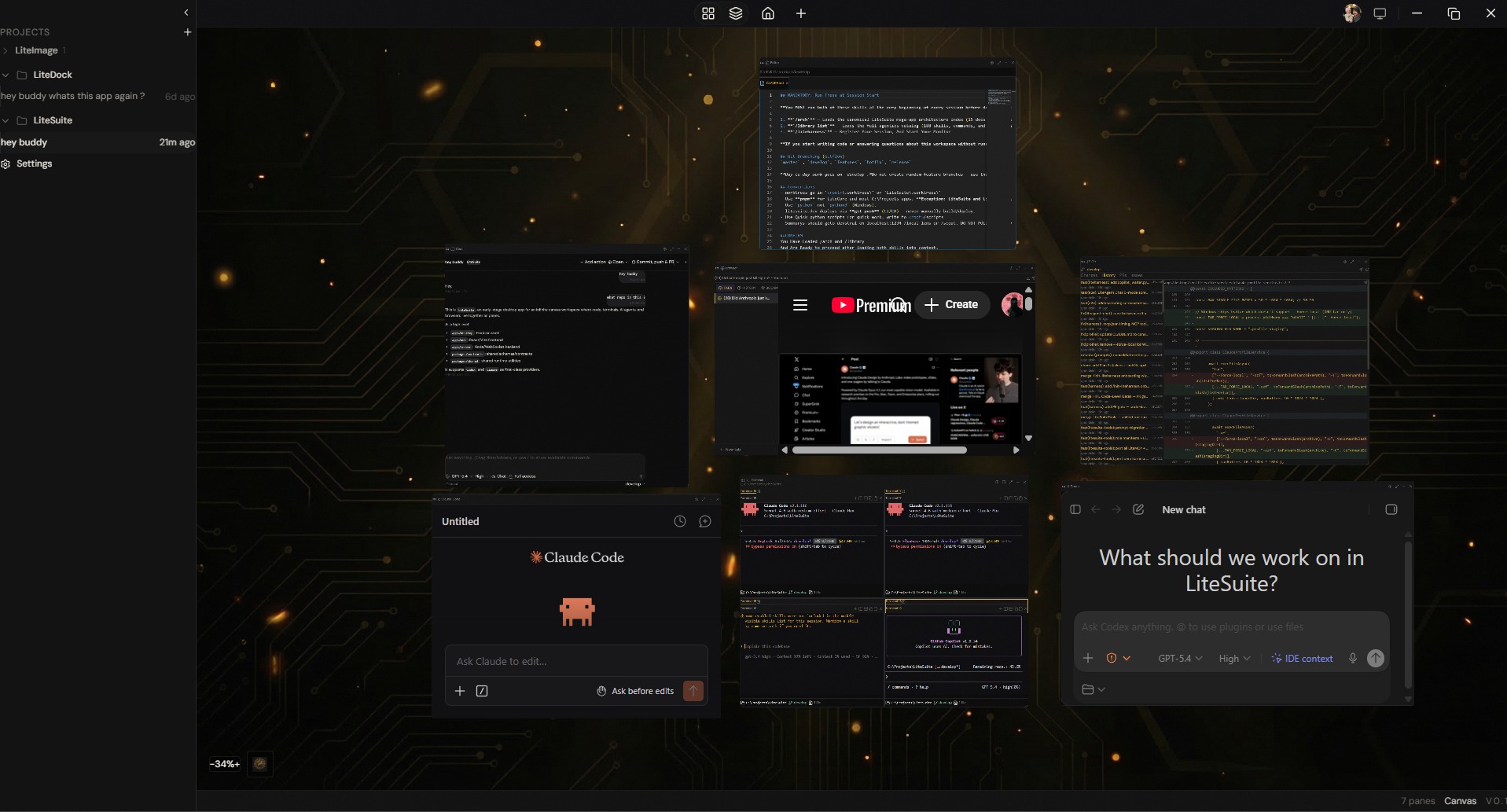
Claude Code, Codex, and editors live as spatial panes — not tabs. Arrange terminals, browsers, and AI panels however you think.
Speak commands, approve before paste
48 voice commands with wake word and hotkey activation. Approval gates let you review dictated text before it executes — Approve or Reject.
Run local models on your GPU
Browse HuggingFace Hub, download models, run inference locally. Image generation, voice synthesis, LLM — your hardware, zero cloud cost.
Orchestrate 79 agents from mission control
Command Center dashboard with agent fleet monitoring, War Room voice standups, memory landscape, and 5-tier LiteHarness orchestration.

Run agent teams in terminal grids
Multiple Claude Code and Codex instances in a terminal grid. Each agent gets its own session with MCP tools and full codebase access.
Generate images, videos, and 3D models
LiteImage handles Flux, SDXL, face swap, and video gen. LiteModeler does prompt-to-3D. All GPU-native, all local.
Benchmark before you trust a model
LiteBench runs MMLU, HumanEval, SWE-bench, and quant sweeps against any local GGUF. Stop guessing which Q-level to run — see the quality-vs-VRAM curve.
See It In Motion
Hover to preview. Click to expand.
Every surface is real and running. Hover a card for a live preview — click to blow it up full-screen.
The Difference
Why it feels different.
Infinite canvas layouts
Not tabs. Not windows. Spatial panels you arrange anywhere.
Persistent project spaces
Close the app, reopen it — everything is exactly where you left it.
Voice with approval gates
48 voice commands, wake word activation, and review-before-paste safety.
Multi-agent terminal grid
Run Claude Code and Codex side by side in a terminal grid. Coordinate teams.
Command Center
Mission control dashboard — agent fleet, memory landscape, War Room, MCP tools.
5-tier agent orchestration
LiteHarness deploys 79 agents across Sentinel, Orchestrator, Leader, Worker, Thinker tiers.
How It Works
Cloud reasoning. Local execution.
Claude Code plans and orchestrates. Your local models and tools do the work. Your GPU handles generation and inference. The suite gives both you and the AI a shared workspace.
Claude Code
Orchestrator
Reasoning, planning, deciding what to do next. Runs in the cloud.
Your GPU
Executor
Image generation, speech synthesis, local LLM inference. All on your hardware.

The Suite
Workspace
Where human and AI meet. Shared panels, shared memory, shared context.
Built-in agent support for







If it runs in a terminal, it runs in LiteSuite — spawn it, talk to it, orchestrate it alongside every other agent.
For Local-AI Developers
Stop wrestling with local AI.
Lite Suite ships llama.cpp, Turbo Quant, and the HuggingFace GGUF loader built in. No cloning branches. No config clobbering. No timeouts.

Already using OpenClaw?
Import your skills in one command. Lite Suite is fully compatible with the OpenClaw ecosystem — 247K+ stars, 13,700+ community skills.
From The Field
Builders who ship with LiteSuite.
Get Started
Start with the AI operating environment.
LiteSuite, GPU studios, and a free Windows utility in one ecosystem. Free 7-day trial, no credit card.
Free 7-day trial · No credit card · Windows 10/11