

LiteTUI
A terminal agent for local models. It wrote three of its own tools.
A Textual chat client and agent harness for local LLMs — streaming, a real tool loop, vision, and per-conversation memory that lives on disk as plain Markdown. Three engines behind one seam: LM Studio's server, LiteTUI's own llama-server in router mode over every chat GGUF on the box, or NInfer on an RTX 5090. Switch mid-conversation and the history survives. Nothing here talks to a hosted API.Completely open source and free. Best experienced alongside LiteSuite — standalone clones will not include the paid platform services, installer-managed updates, or shared package integration.
No account, no trial — yours forever.
What it does
It Built Its Own Tools
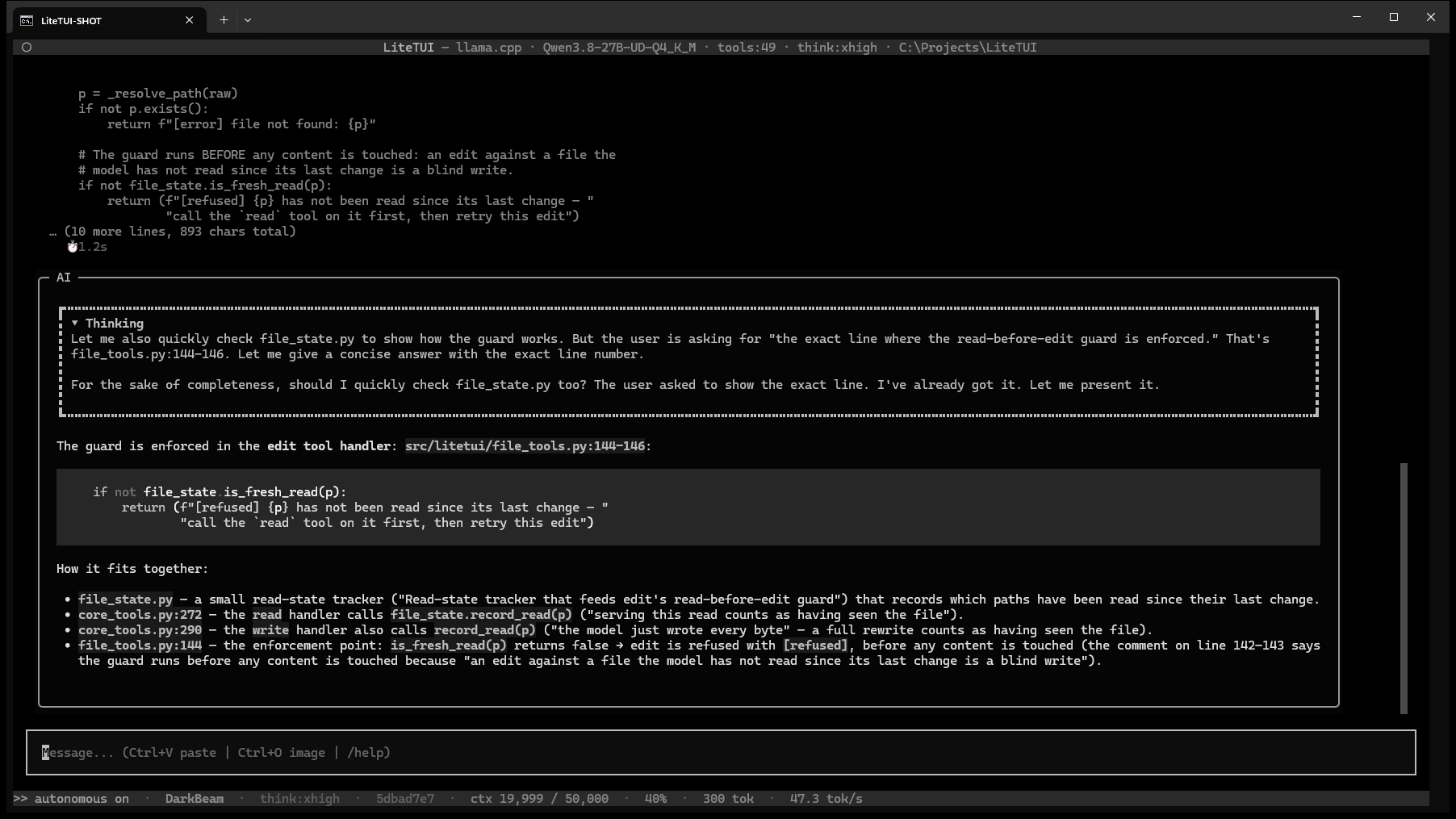
The seat that built its own tools runs qwen3.8-27B locally. The grep and edit tools were written to spec by LiteTUI's own agent seat — ripgrep-through-argv search with no shell anywhere, and exact-byte edits behind a read-before-edit guard. They landed with 24 of 24 tests green in their own file and the full suite at 1,481 passing. The listen tool came the same way from a second seat. This is the differentiator: not an agent that writes code, an agent that shipped the tools it now runs on.
Memory That Is Just Files
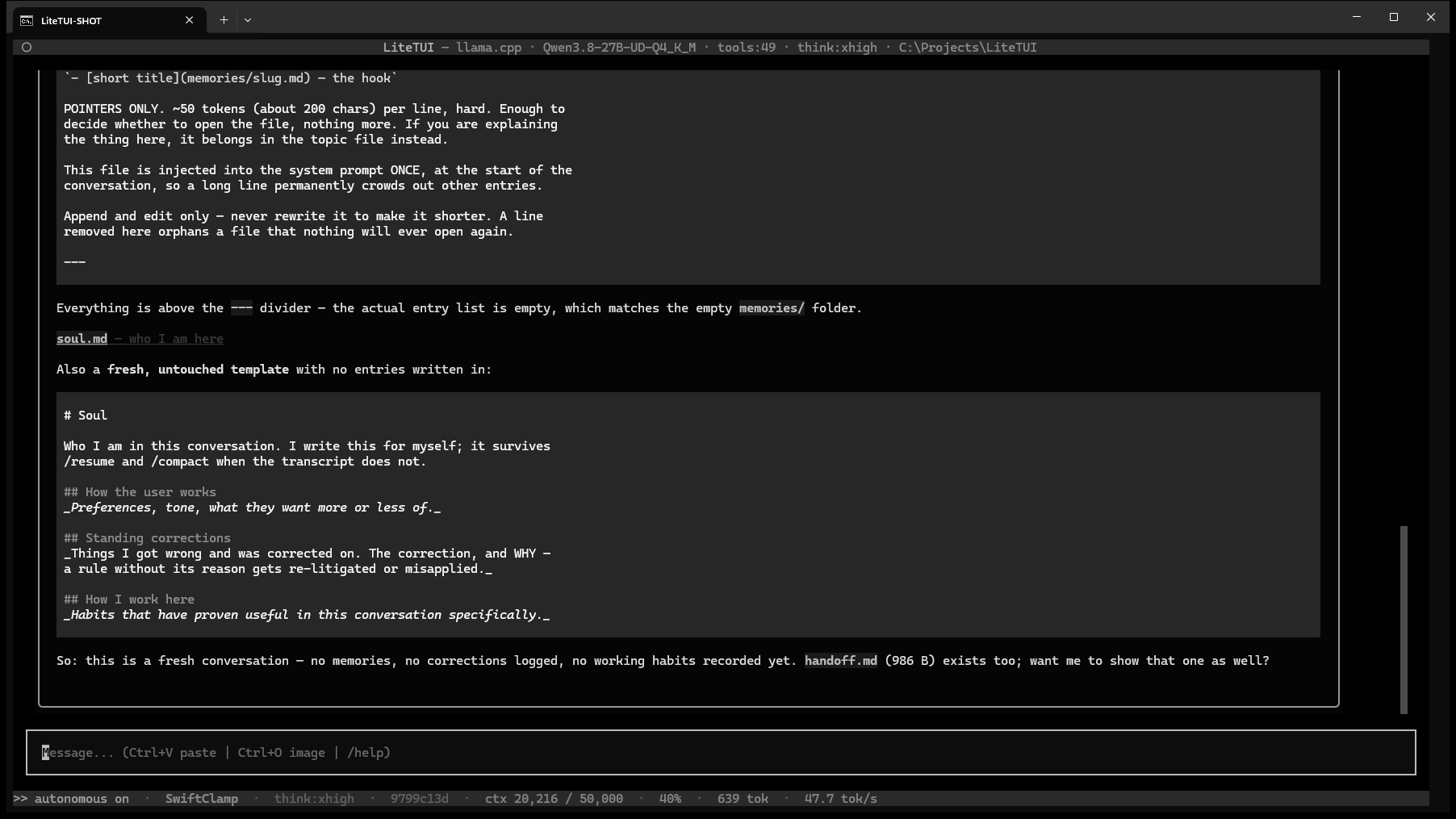
Every conversation gets a directory: an append-only transcript, memory.md as an index the agent maintains, soul.md for standing preferences and corrections, handoff.md for what is in flight and what is owed, and a memories/ folder holding one file per idea. No database, no embedding server — open them in any editor.
Three Engines, One Seam
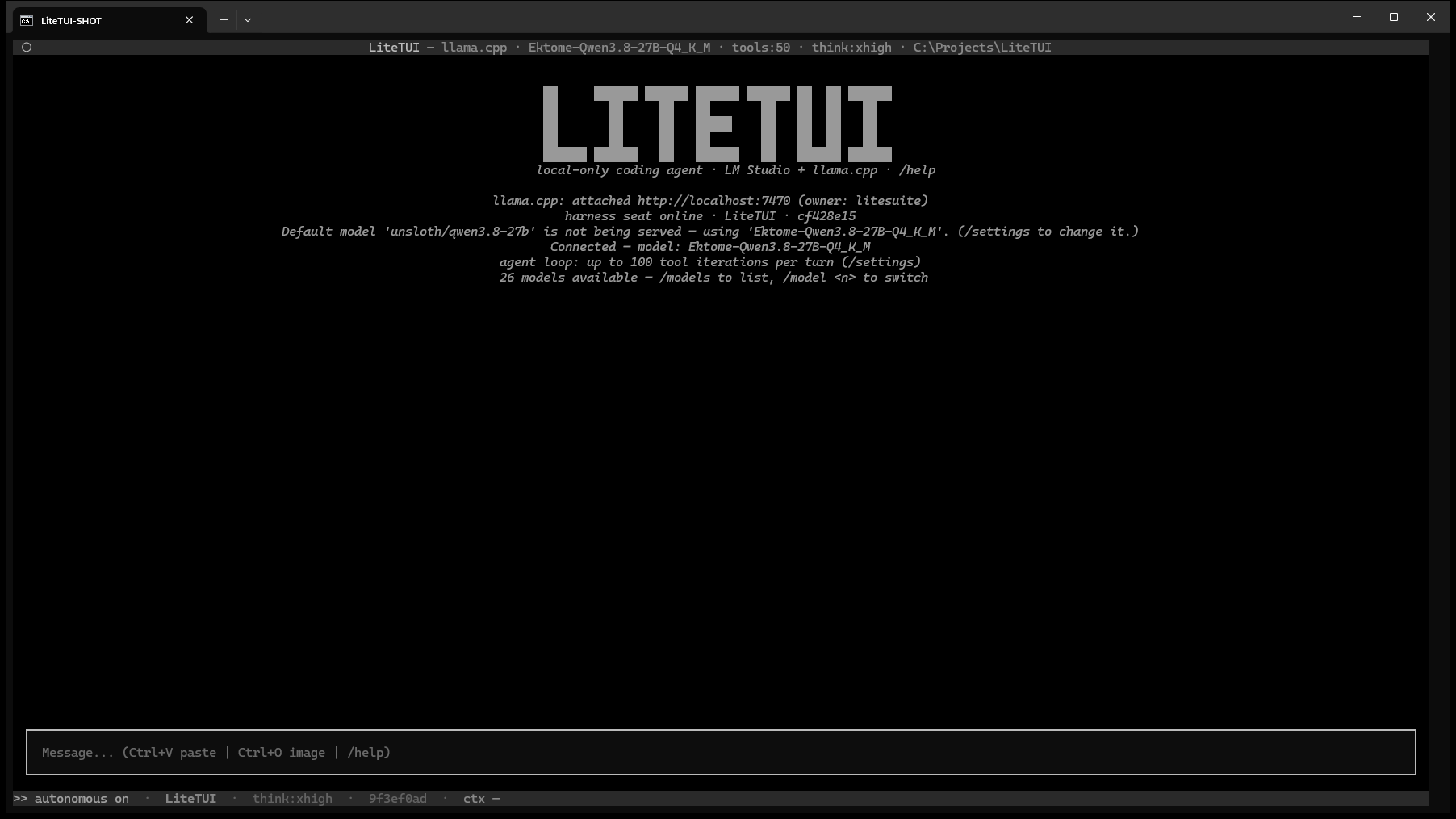
LM Studio's desktop server, LiteTUI's own llama-server in router mode with every chat GGUF on the box behind a single process, or NInfer on an RTX 5090. /backend switches between them mid-conversation and the history survives. Neither loads anything at boot, and the router caps concurrent models so a switch cannot quietly fill your VRAM.
NInfer, a First-Class Engine

On an RTX 5090, the ninfer backend gets its own settings tab and engine controls: /engine start, /engine stop, /engine status and /engine lanes N. Choose the served artifact with /model, and let LiteTUI own ninfer-serve or attach to an engine already running.
Official NInfer repositoryA Real Tool Loop
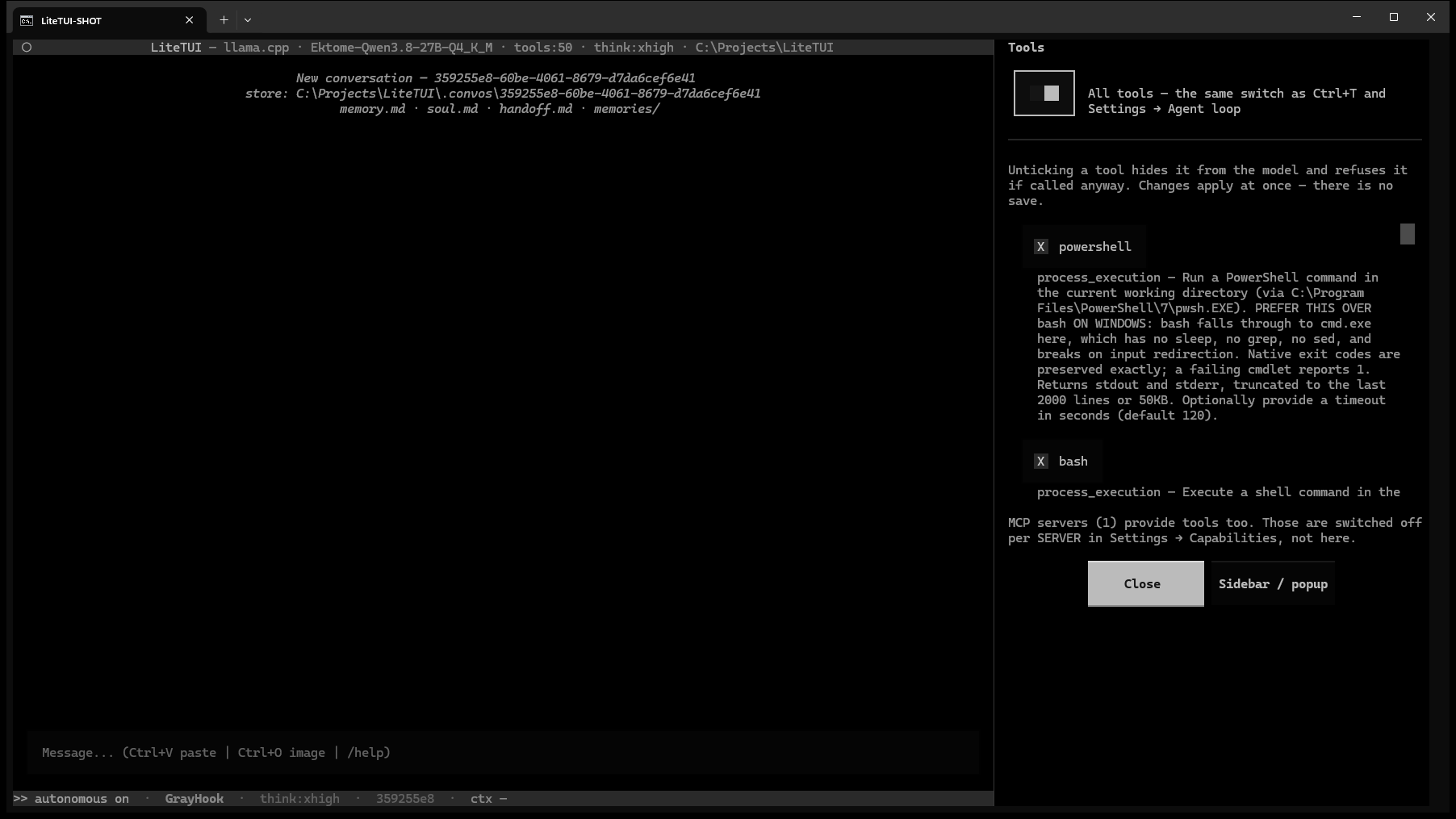
Fifteen built-in tools — bash, powershell, read, write, edit, grep, web_fetch, chrome, pccontrol, studio, listen, view_image and more — plus every skill, harness and MCP tool the seat discovers, so the header's tool count is whatever is actually on offer. Every result is capped, the whole set toggles with Ctrl+T, and per-tool policy withholds a tool at the schema door rather than refusing it after the fact. /tools is a checkbox list that applies immediately.
Compaction That Does Not Rewrite History
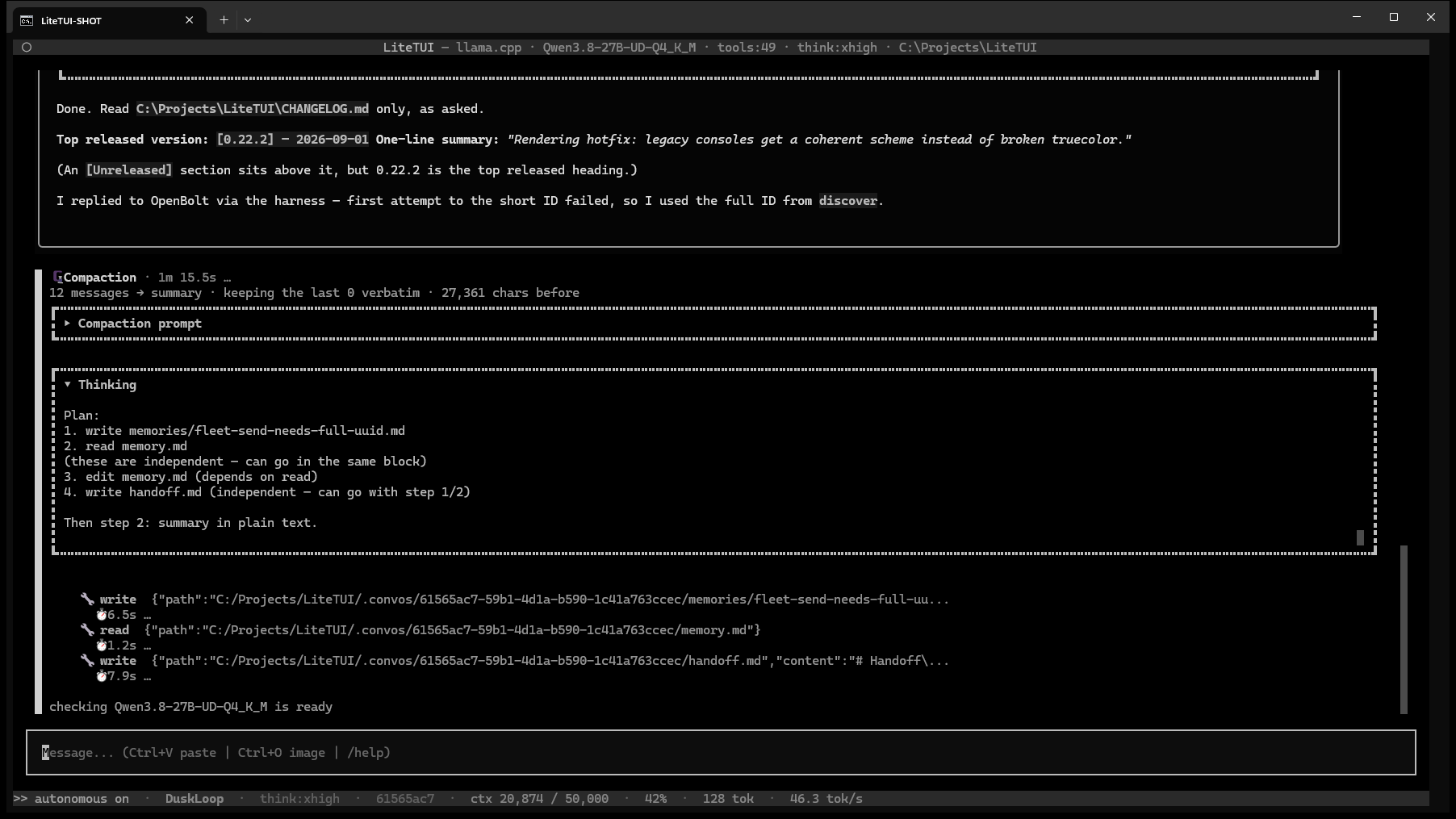
The transcript is append-only and never rewritten — a torn append costs one line, a failed rewrite costs the conversation. /compact records a truncation marker instead of a fresh copy: 303 bytes rather than 5,445 on a 30-message conversation, with the raw history still on disk behind the marker.
A Seat in the Fleet
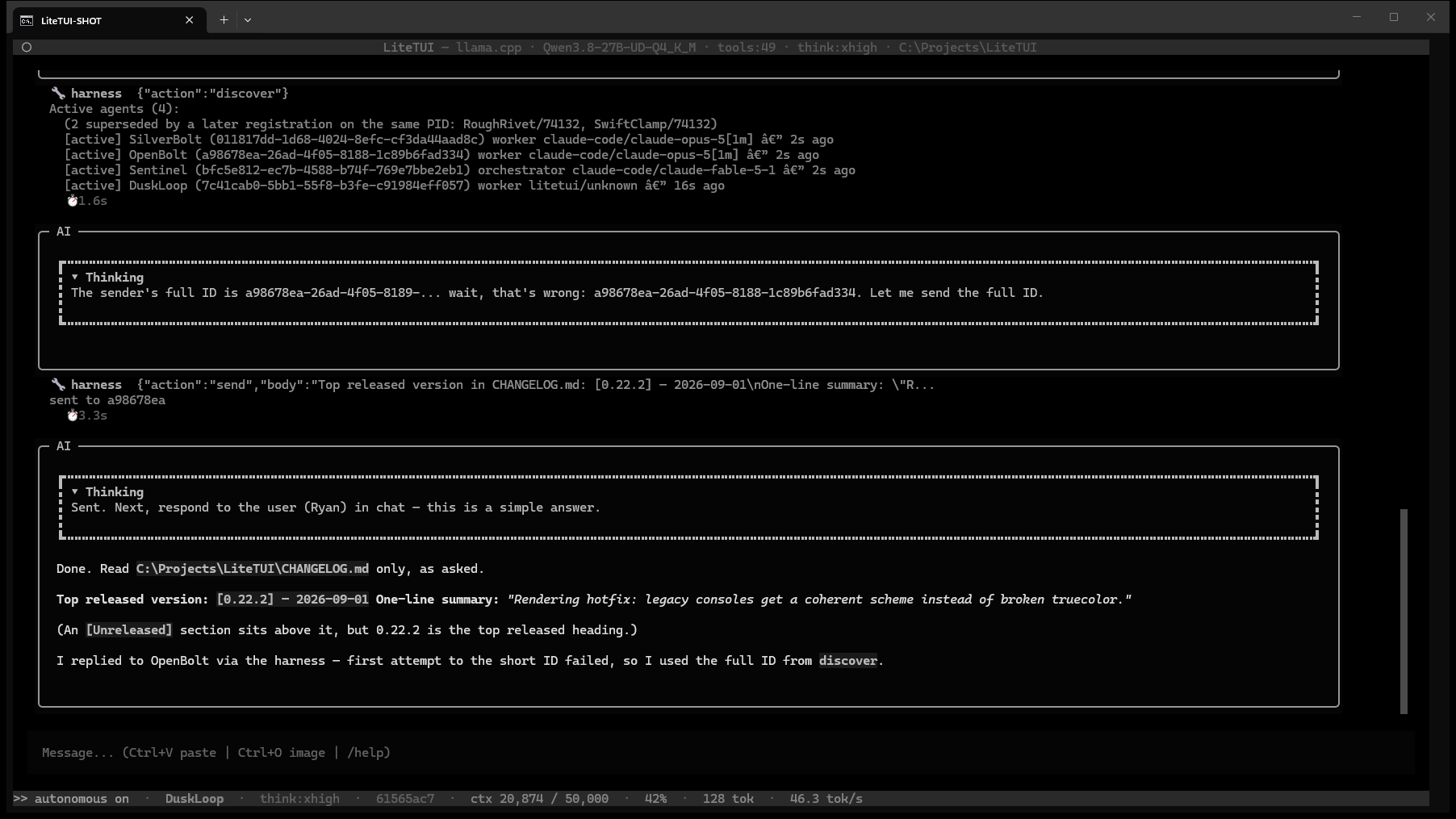
LiteTUI registers itself with LiteHarness and carries a harness tool, so it sends and receives inter-agent inbox messages like any other seat. A local model in a terminal, taking assignments alongside the hosted ones.
Shift+Tab Is the Brake
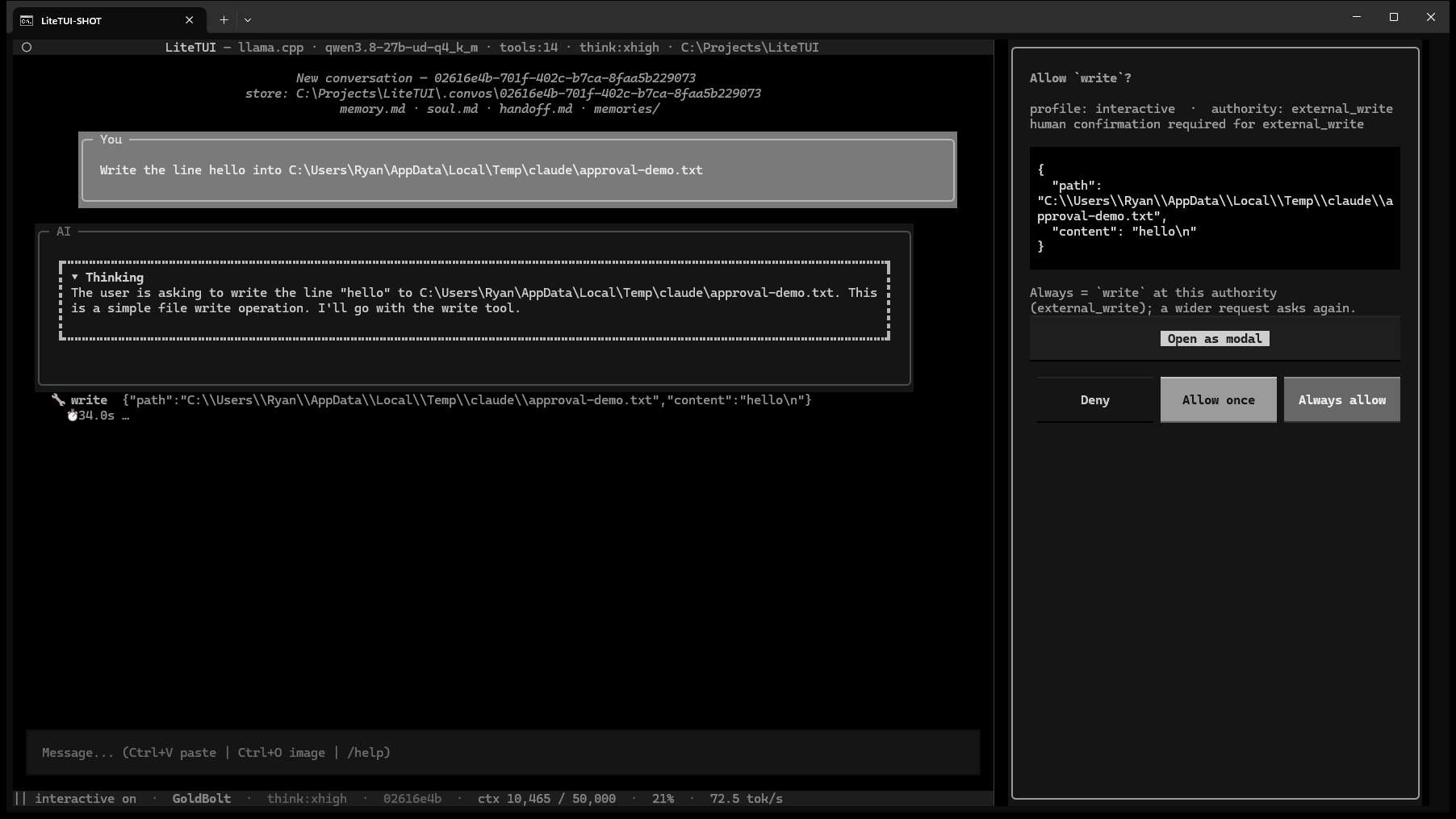
Two authority profiles, one keystroke apart. Autonomous never asks; interactive confirms every write, process, desktop action and destructive call, and the switch persists and retargets the turn already in flight. The approval dialog offers Deny, Allow once and Always allow — a deny stops the turn, an always becomes a standing tool:capability rule you can edit later. A running tool gets its own cancel button that kills that process tree and lets the turn continue.
Dialogs That Dock
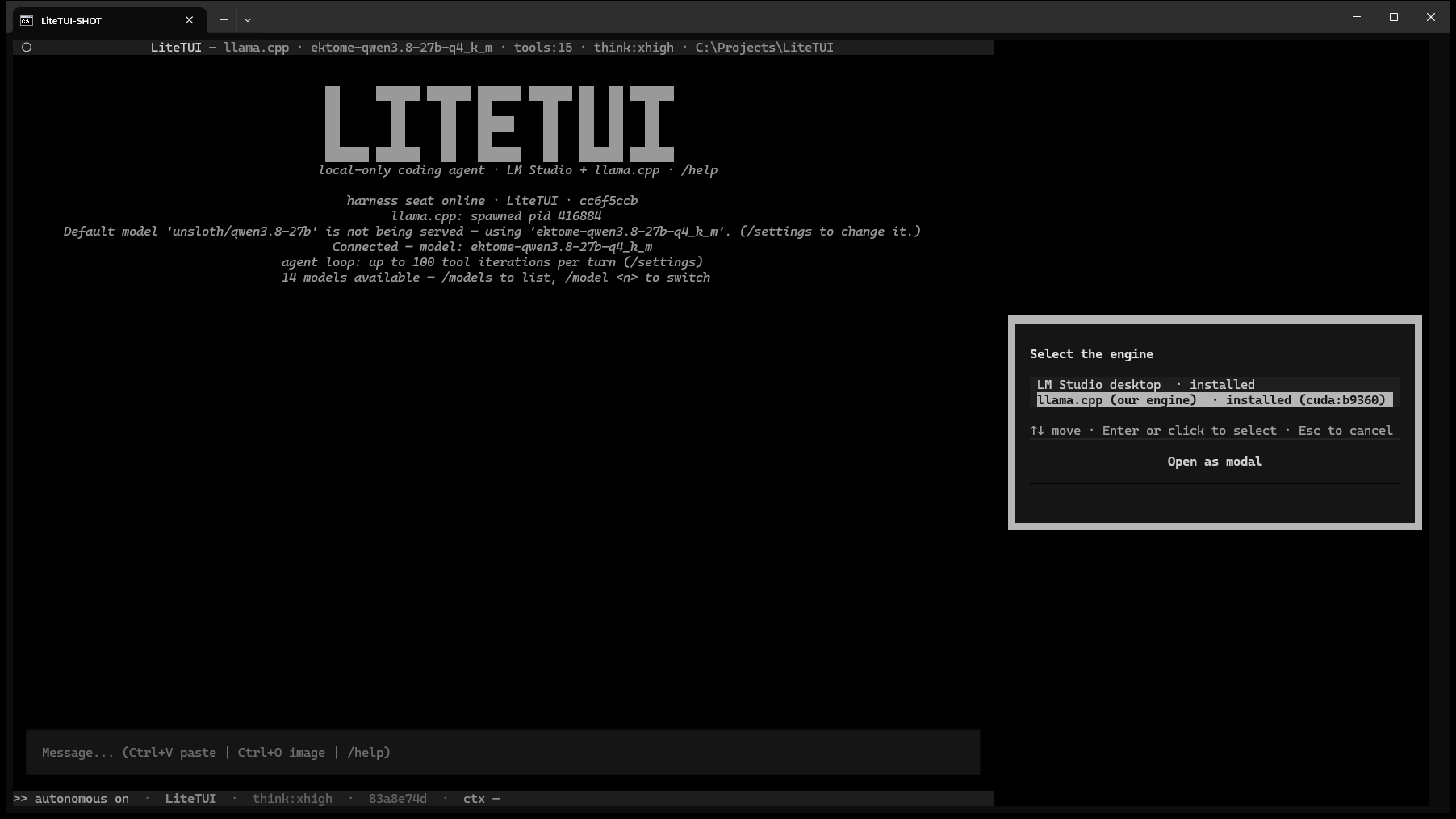
Every dialog — the model picker, backend switch, tool approval, conversation list, skills, the stop-turn confirm — can live in a sidebar beside the chat or as a modal over it. One button swaps the host without answering the question: it reads Open as modal on the sidebar and Dock to side on the modal, and it is only offered where pressing it would do something. Default host and which side are settings.
Every Knob, One Screen
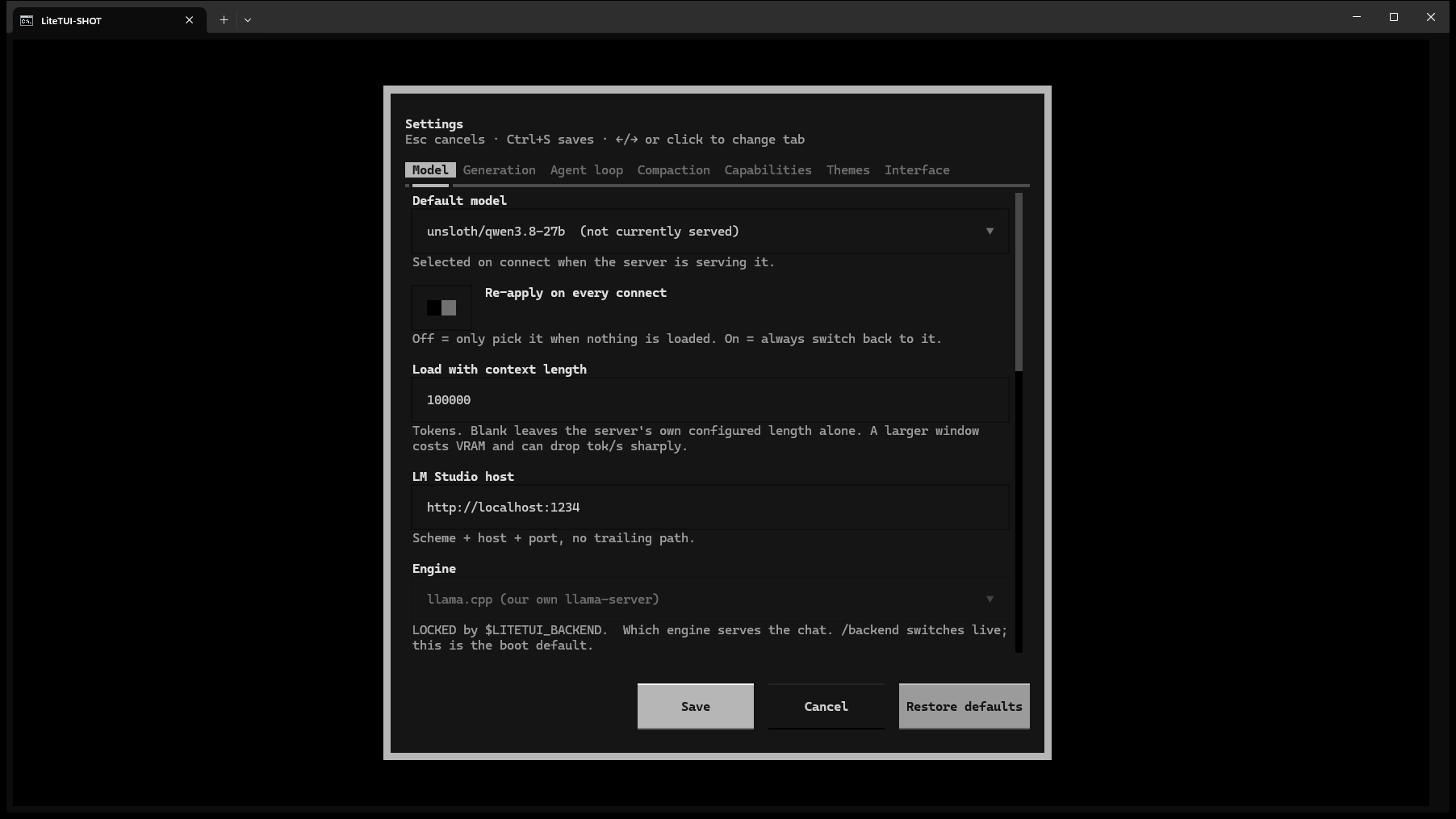
/settings is seven tabs: Model, Generation, Agent loop, Compaction, Capabilities, Themes, Interface. Sampling (temperature, top-p, top-k, min-p, penalties, seed, stop), tool iterations and policy, autocompact threshold and what compaction keeps, per-server MCP switches, footer fields, all with Restore defaults. Anything set through an environment variable renders locked and says which variable owns it.
36 Dark Themes and a Colour Picker
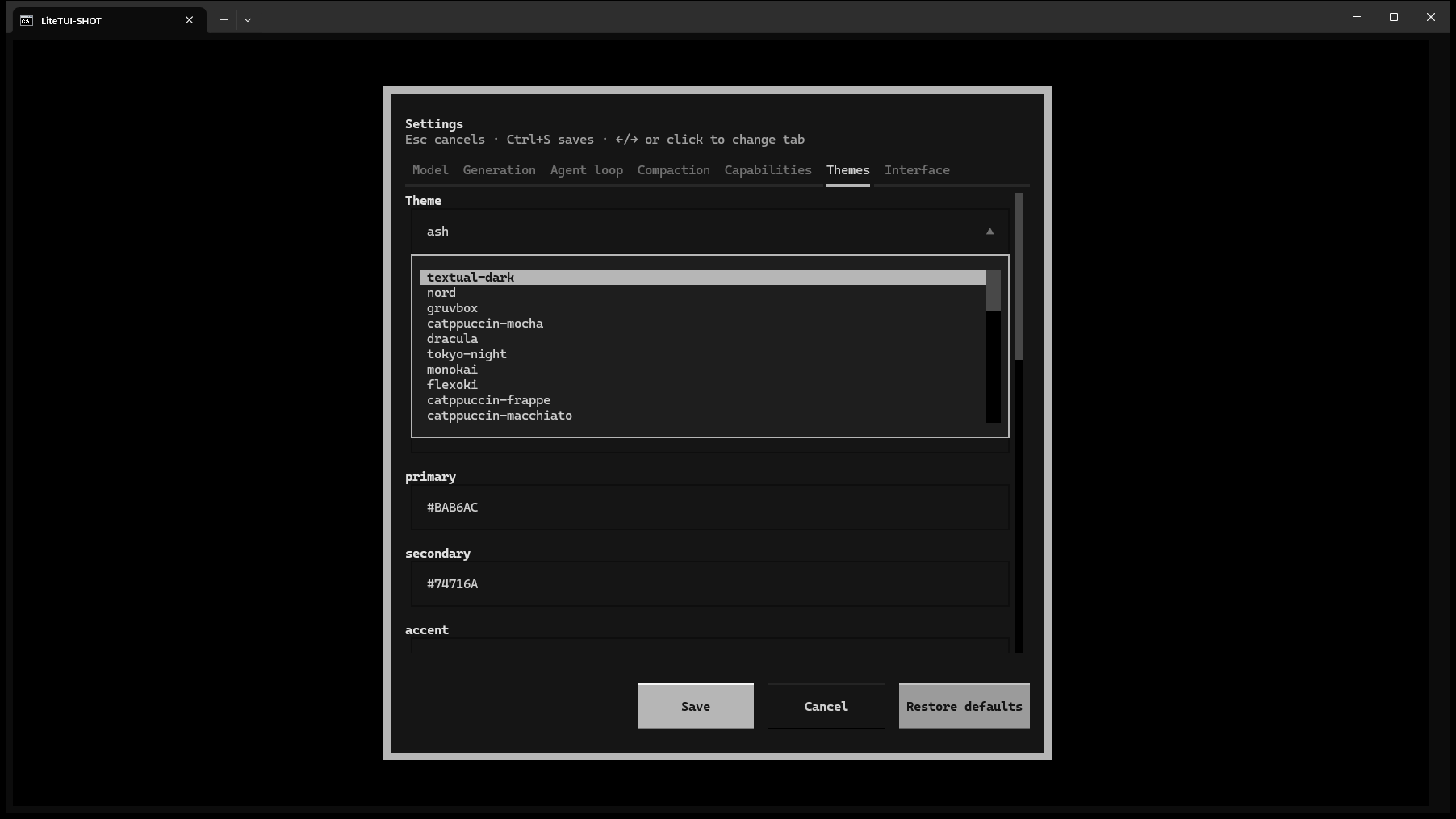
Twelve LiteSuite-ported presets, ten grey shades on the principle that healthy is colourless, and Textual's dark built-ins, switchable from the Ctrl+P palette or the Themes tab. The creator takes thirteen tokens with a real terminal colour picker — saturation field, hue bar, presets, hex — saves custom themes into settings, and names the bad hex if you mistype one.
Configure the Model Like a Panel
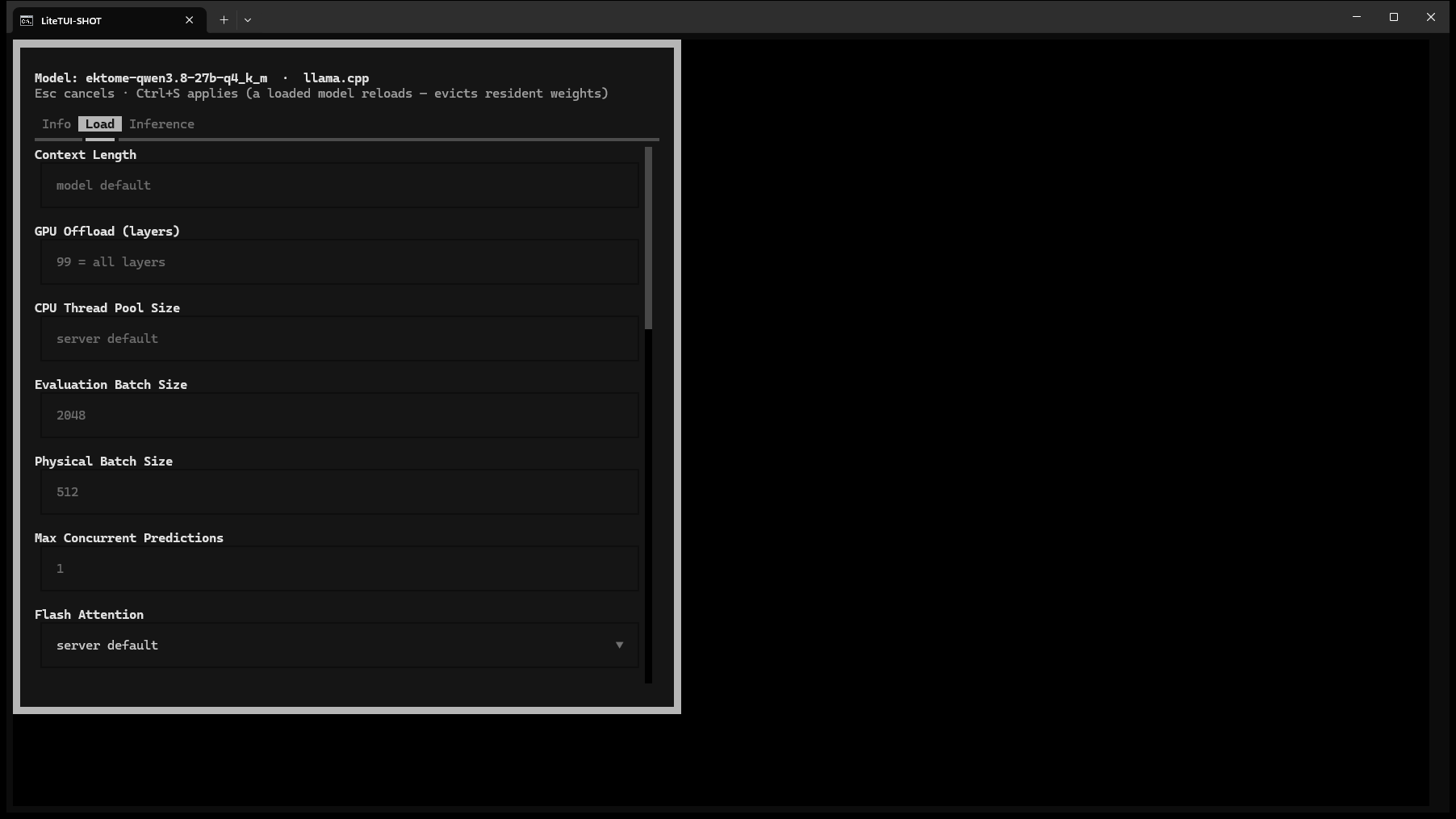
/modelcfg opens the model's Load and Inference tabs: context length, GPU layers, threads, batch sizes, KV cache quantisation, flash attention, a draft model for speculative decoding, the vision projector, the chat template. Per-model sampling overrides, JSON-schema structured output and named presets. Controls the running engine cannot drive render greyed with the reason, proven against llama-server's own flag census.
It Has Eyes and Ears
Ctrl+O attaches a clipboard bitmap or a file copied from Explorer; a typed path with a question after it attaches itself. The agent can look at any image on disk through view_image, take a Chrome or desktop screenshot and look at that, and /mark drops a draggable ring on your screen so you can point at what you mean. The listen tool runs a local audio model to describe sounds, transcribe speech or characterise music.
It Can Use Your PC
pccontrol clicks, types, pastes into fields, presses keys, activates windows and launches apps. chrome drives your real browser through a bundled extension — tabs, navigation, page text, clicks, screenshots. studio hands off to LiteImage, LiteSound and LiteModeler for generation, suspending the agent's own model around the GPU work and reloading it afterwards.
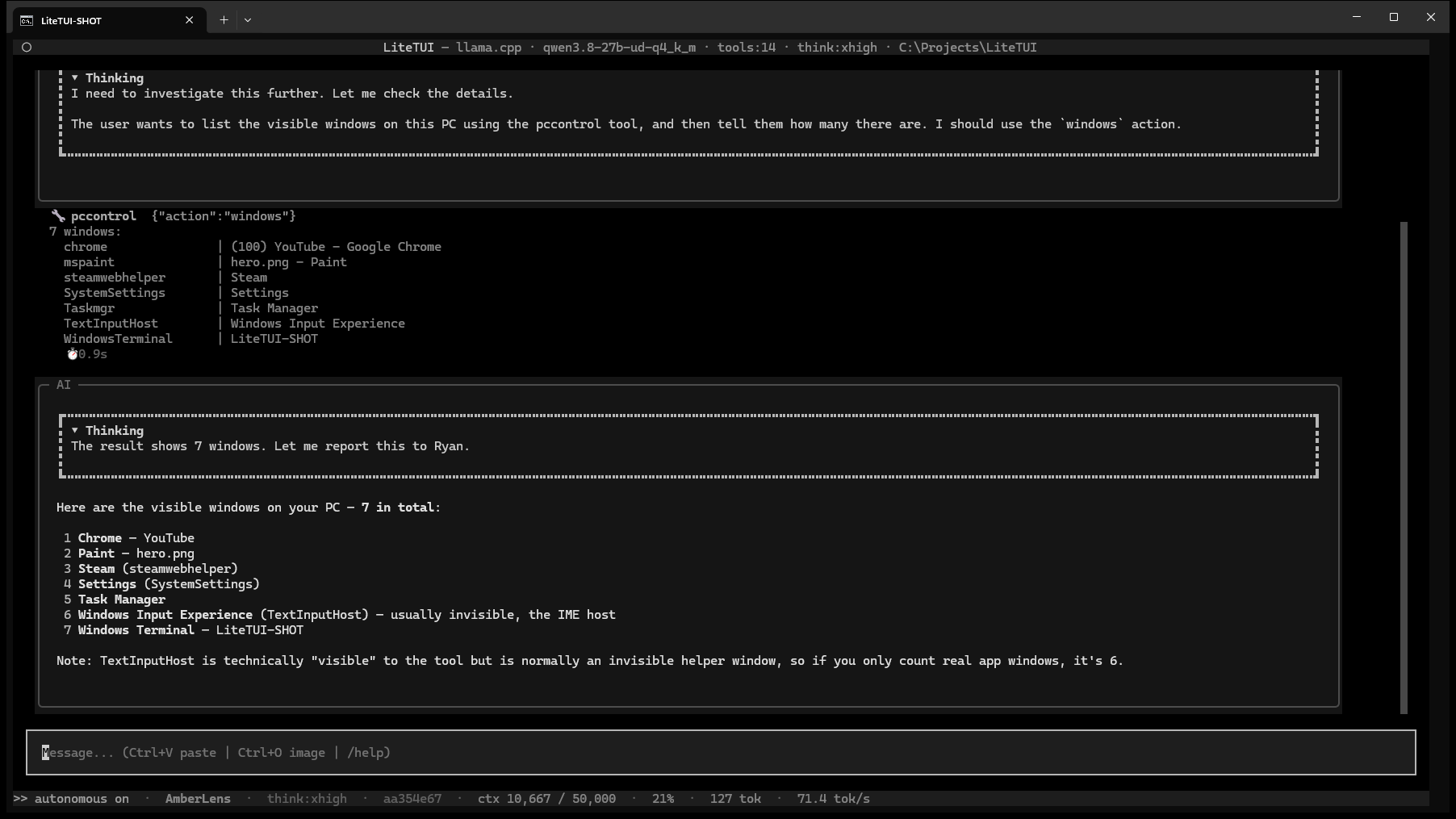
Prompts That Arrive on Their Own
/cron takes a five-field expression or @daily; /calendar is a month view where a day click opens its jobs and a schedule builder covers daily, weekdays, weekends, weekly, monthly, every N minutes and raw cron with a live next-fire preview. /loop repeats a prompt on a cadence; /goal keeps going until the evidence says the objective is met, blocked or impossible. Every unattended turn runs at the one authority profile you set.
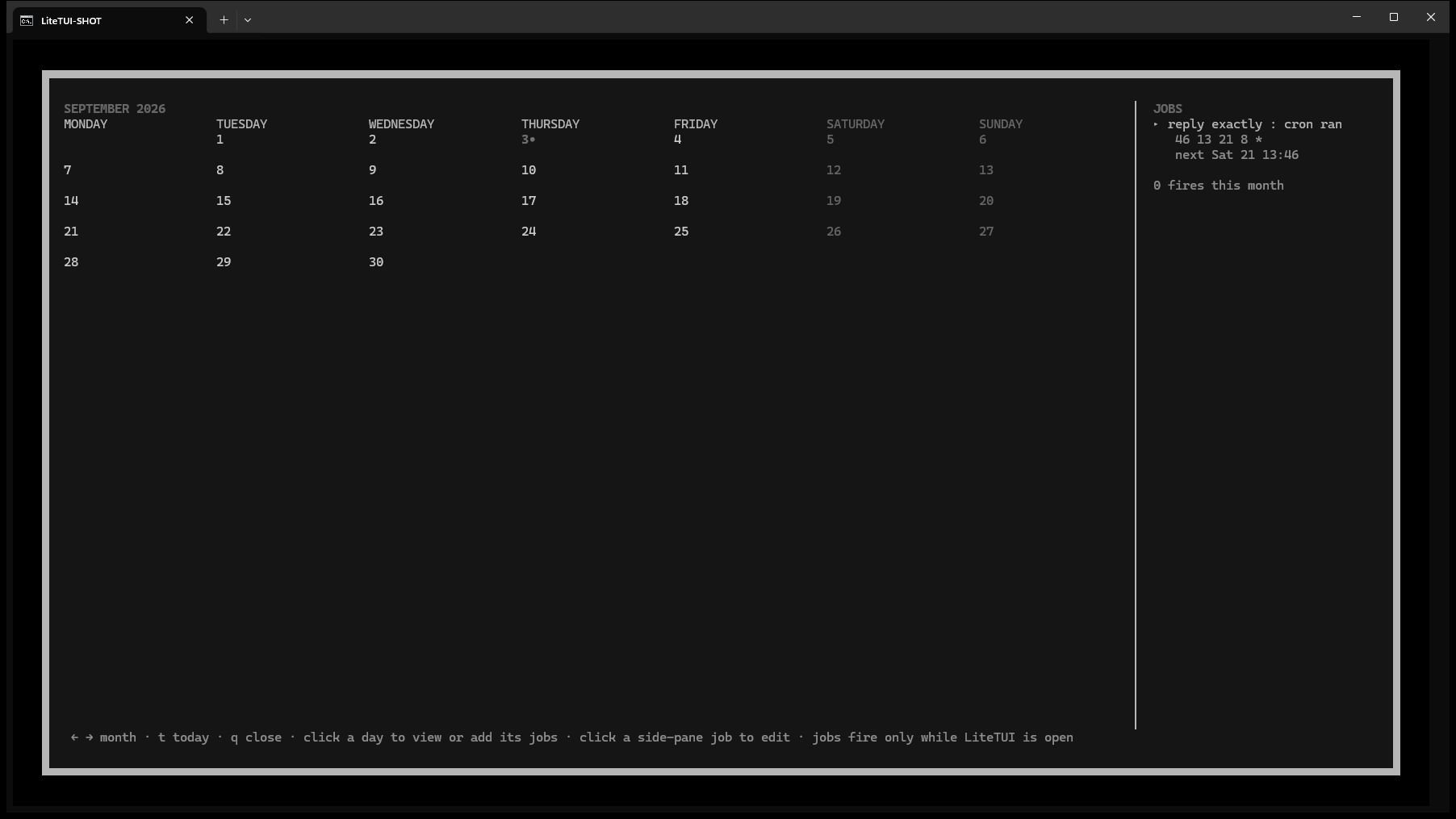
Watch It Think
The thinking trace streams in a collapsible block with its own timer, an elapsed and learned ETA runs before the first token, and the footer carries context used against maximum, percent, tokens per second, think level, seat and conversation id — each hideable. Compaction is glass-box: the plan, the exact prompt, the thinking, every store write and the streaming summary are shown, and /glassbox opens a local event feed of all of it.
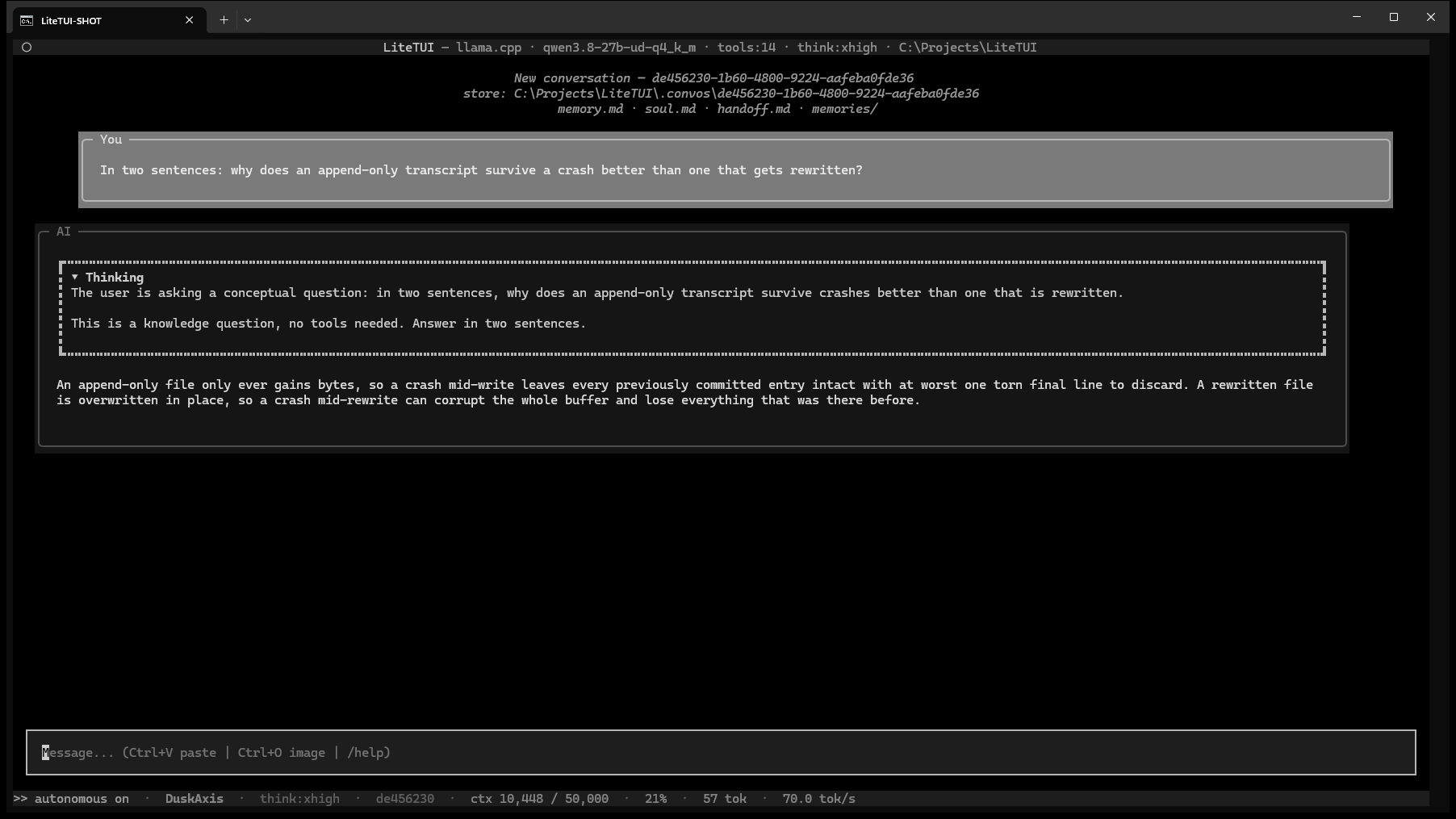
Type While It Works
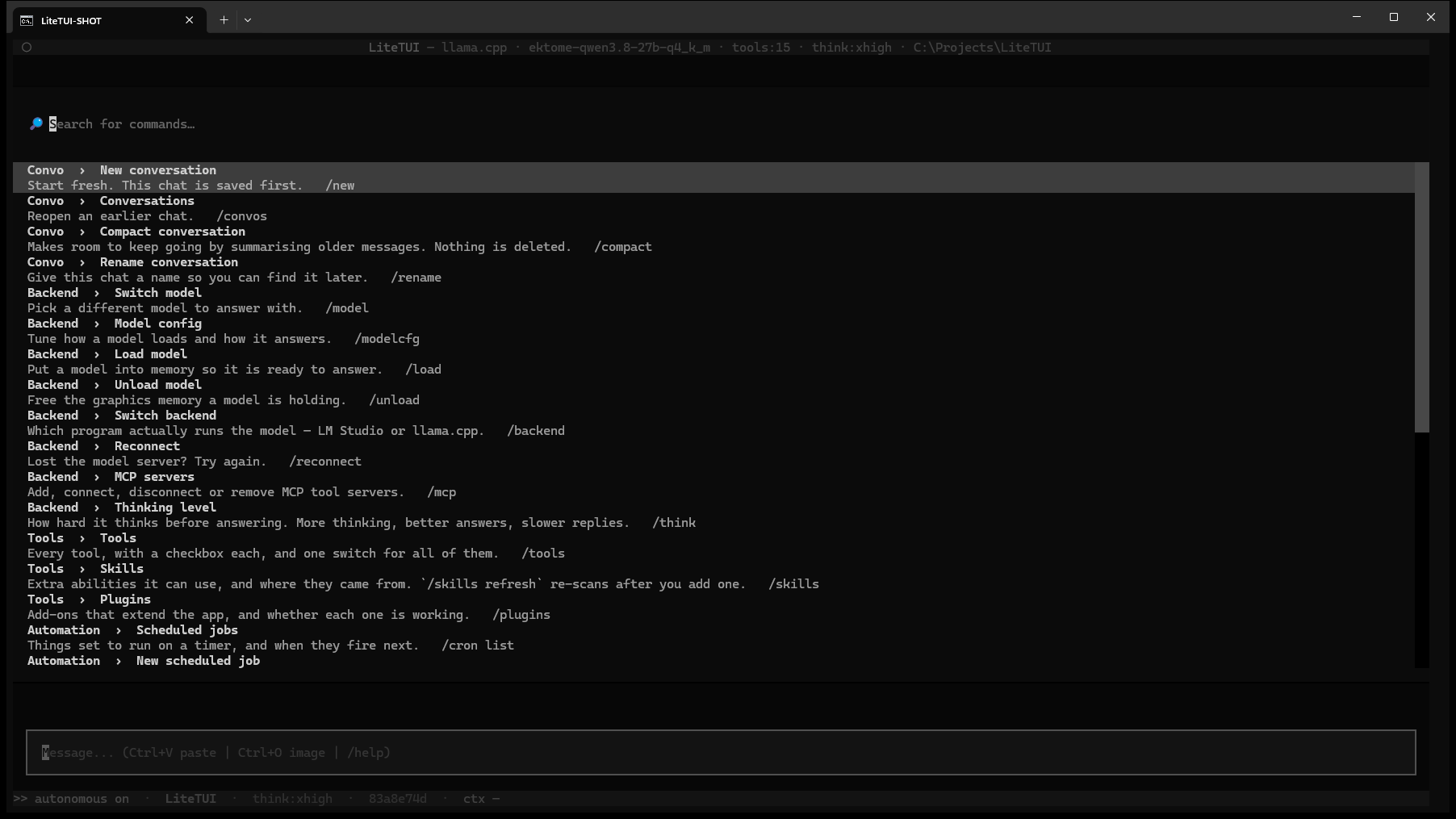
Enter during a turn queues your message and delivers it at the next tool-round boundary; Ctrl+J interrupts and keeps the partial reply. One setting swaps the two. Esc stops the turn after asking, a second Esc force-kills. The Ctrl+P palette lists every command grouped by area, typing a slash autocompletes commands and skills together, and /keys shows the whole binding table.
Local measurement
Measured NInfer performance
A local RTX 5090/NInfer run across 82 real agent-work generations produced sustained decode speeds in the hundreds of tokens per second.
Generated output
14,647 tokens
82 real generations
Combined decode
616 tok/s
token-weighted rate
Median request
598 tok/s
per-request decode
Eight longest
655 tok/s
combined; every one exceeded 500
Longest generation
669.5 tok/s
941 generated tokens
Measured generation/decode speed only. Prompt processing, tools and waiting are excluded; this is a local workload measurement, not a universal benchmark or hosted-service guarantee.
Why LiteTUI?
Most terminal AI clients are a chat box in front of somebody else's API. LiteTUI runs the loop on your own hardware, keeps each conversation's memory as files you can read, and is capable enough that its own agent seat built three of the tools it now ships with.
See it in action
Demo video coming soon
Requirements
- Python 3.11 or newer
- A local inference engine — LM Studio, LiteTUI's bundled llama-server router, or NInfer on an RTX 5090
- A chat GGUF on disk for LM Studio or llama.cpp, or an installed NInfer artifact; a VLM with an mmproj projector if you want image input
- An RTX 5090 for NInfer — LiteTUI hides its NInfer engine, backend and settings surfaces on other GPUs
- NVIDIA GPU recommended — developed against a 27B model on an RTX 5090
Why is LiteTUI free?
LiteTUI is your introduction to Lite Suite. We want you to experience the quality firsthand — the speed, the polish, the attention to detail — before you decide to unlock the rest. No trial countdown. No sign-in wall. Just a fast, capable app that's yours to keep.
Ready to try LiteTUI?
LiteTUI installs from PyPI. No installer, no account — one command.