
Lite Suite
The AI operating environment. Everything in one canvas.
An infinite canvas workspace where code editors, terminals, AI agents, browsers, benchmarks, voice control, memory systems, and design tools all live together as composable panels. 20 panel types, 91 canonical agents, a 5-tier orchestration harness, built-in voice pipeline, and local-first AI. One app, everything included.
What it does
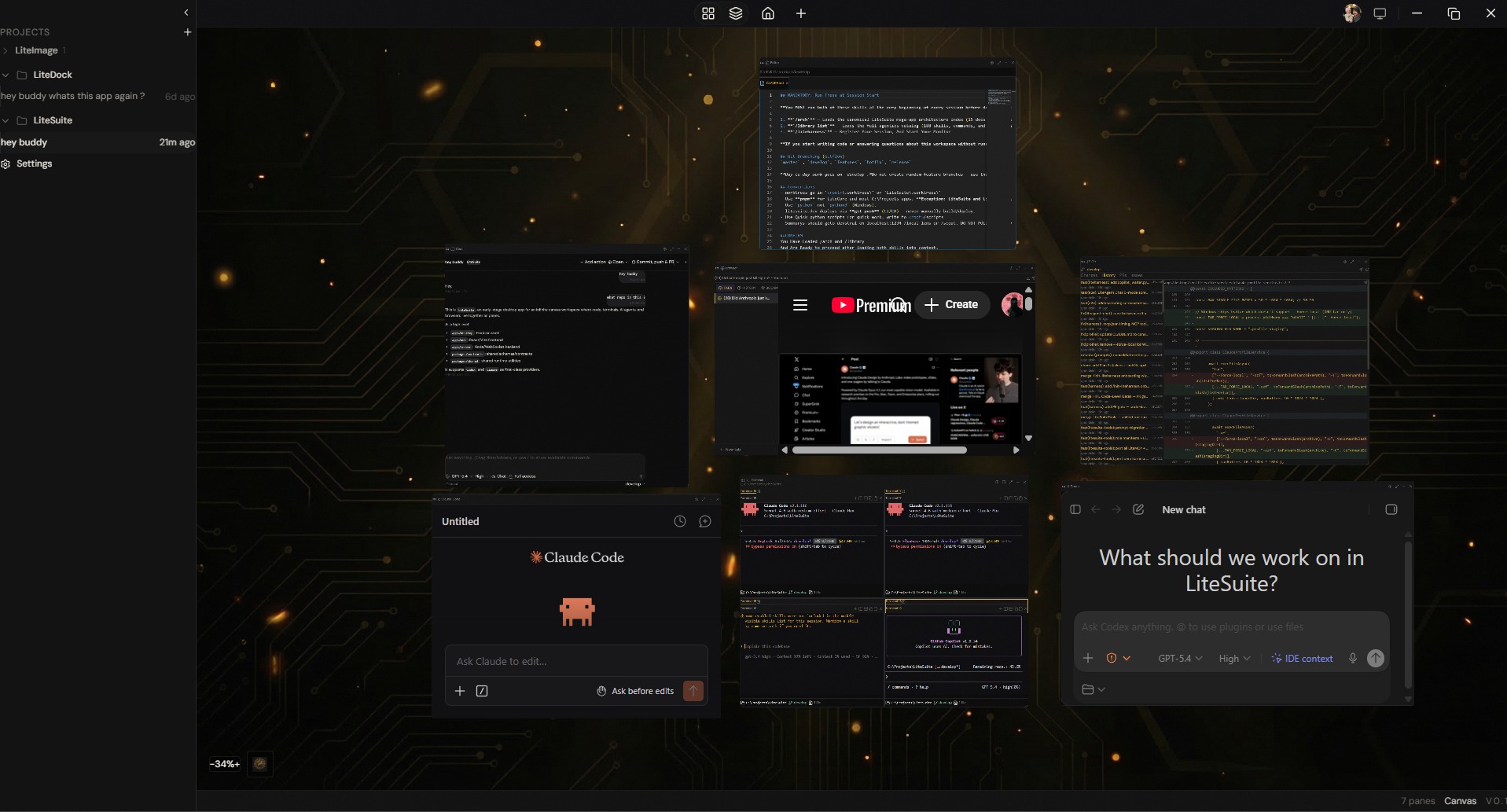
Infinite Spatial Canvas
An infinite 2D workspace where 20 panel types live as spatial panes — not tabs. Code editors, terminals, AI agents, browsers, benchmarks, and design tools arranged however you think. Zoom, pan, and drag freely.
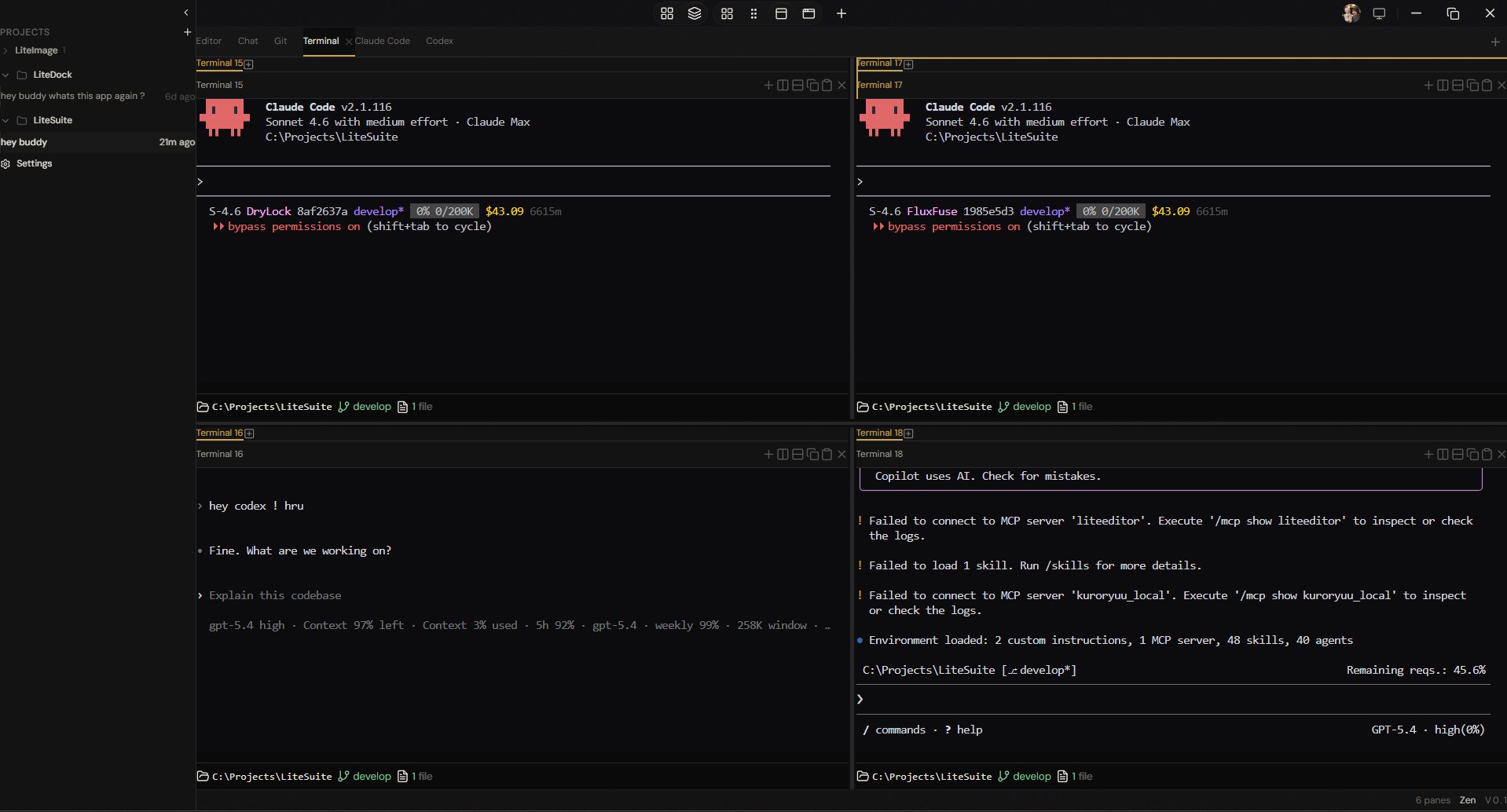
Multi-Agent Terminal Grid
Run Claude Code, Codex, and any CLI agent simultaneously in a terminal grid. Each agent gets its own session with full MCP tool access. Coordinate teams of AI agents from a single workspace.
Command Center
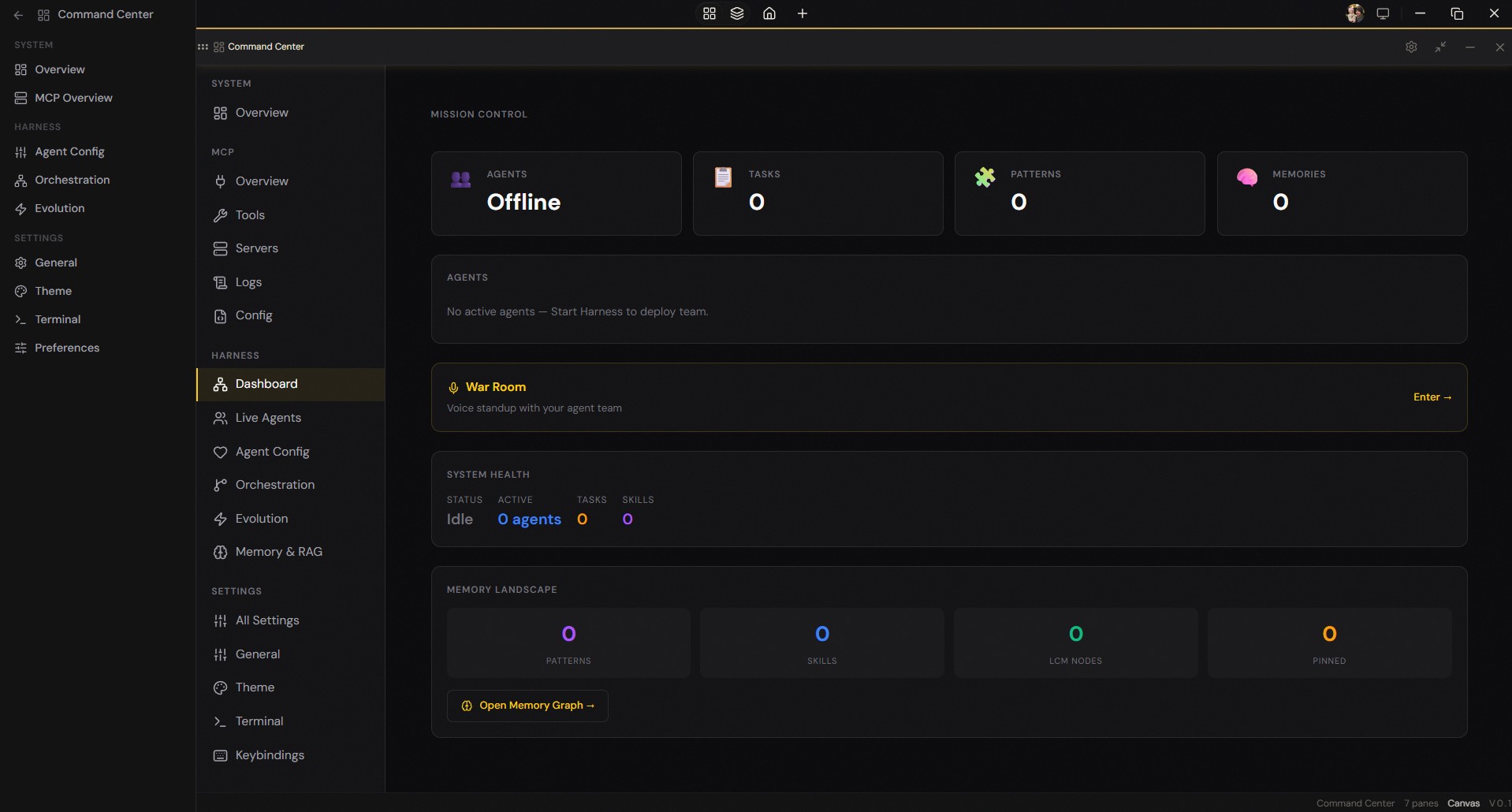
Mission control for your agent fleet. Monitor agent status, manage MCP servers, configure harness orchestration, track memory landscape, and enter the War Room for voice standups with your AI team.
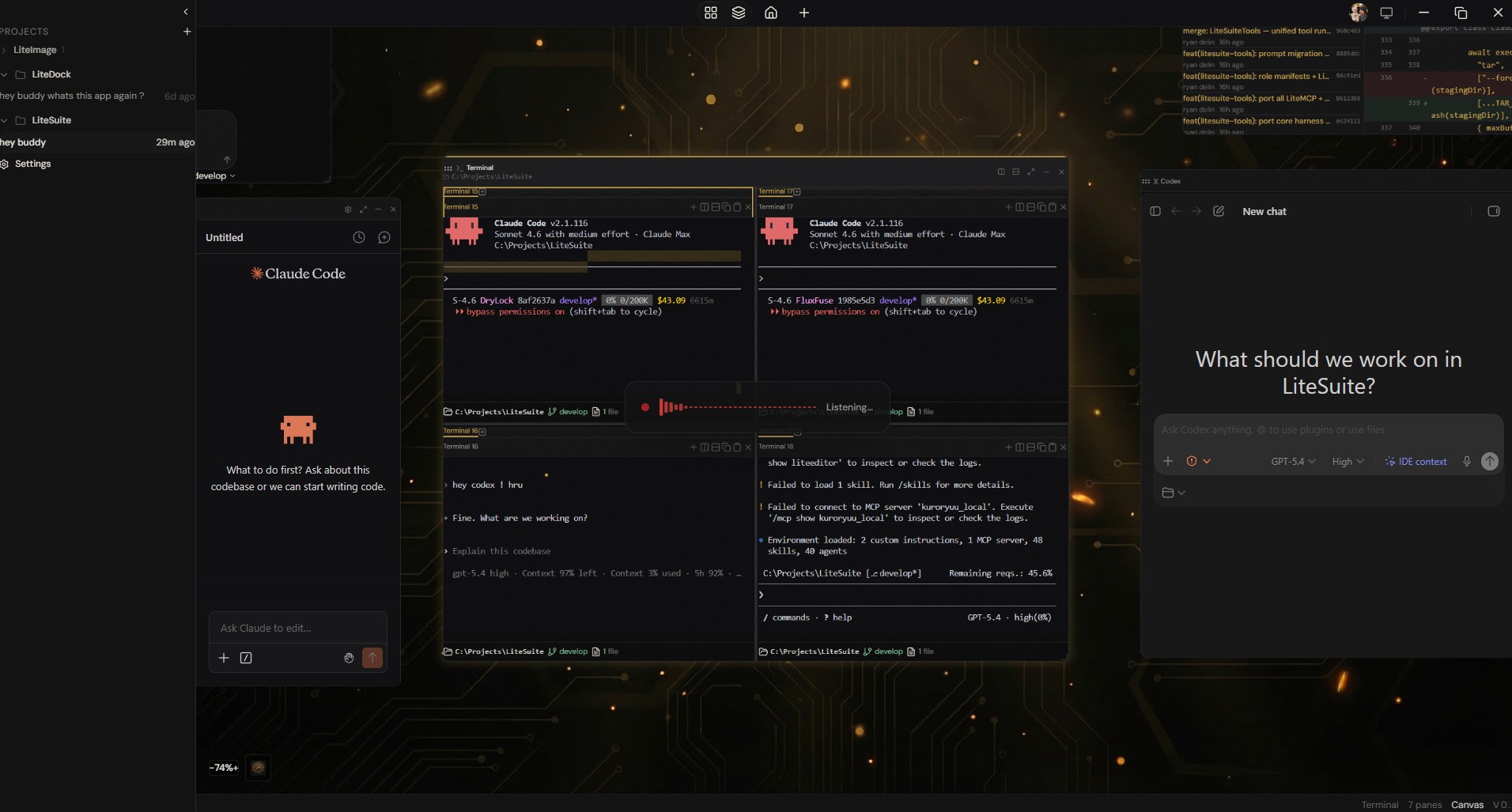
Built-In Voice Pipeline
Local Whisper STT, Qwen3 TTS, 48 voice commands, wake detection, and an AI companion mode. Dictate anywhere, navigate by voice, or have a full conversation. Everything runs locally on your GPU.
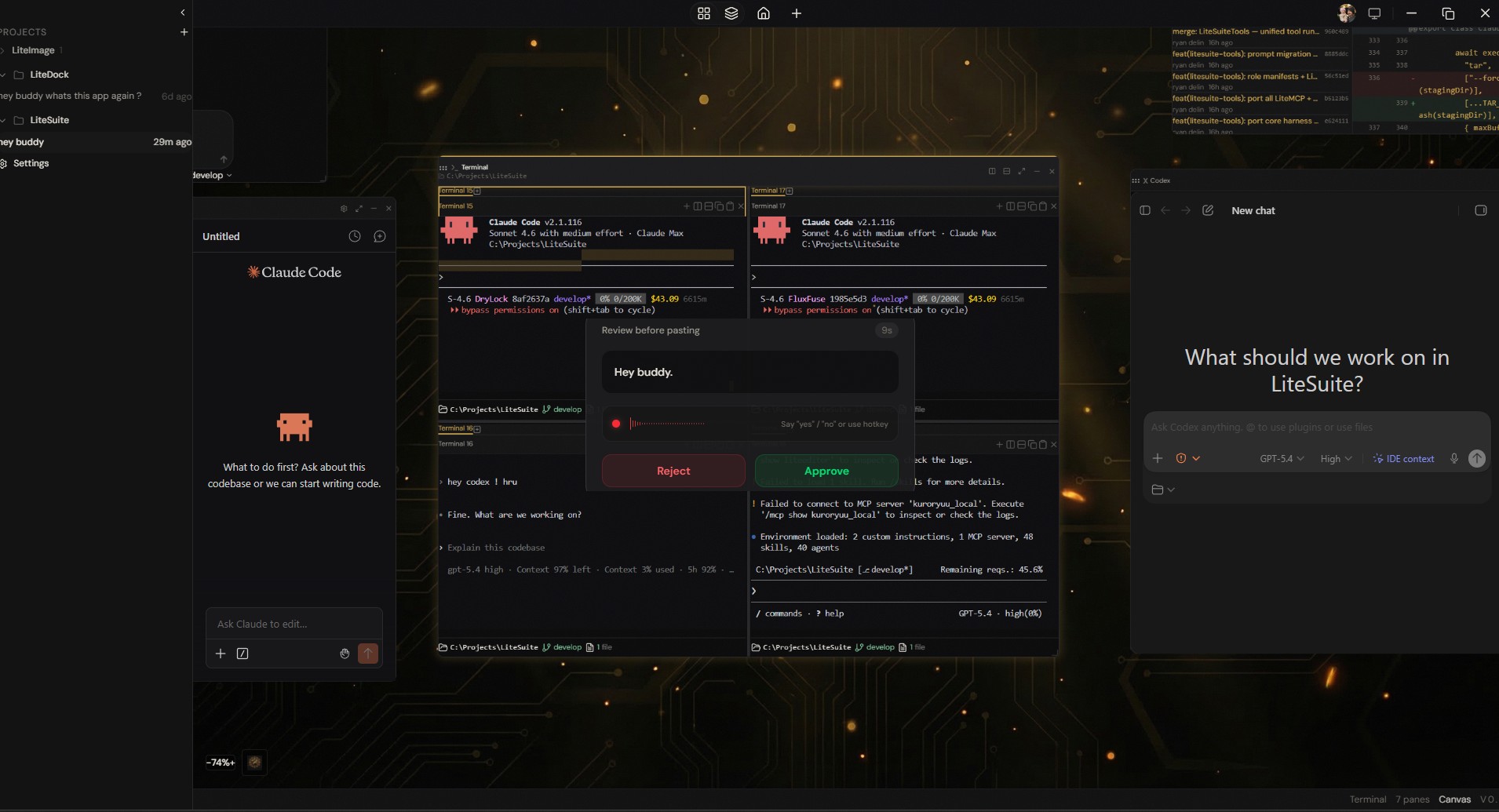
Voice Approval Gates
Speak a command, review it before it executes. The approval gate shows exactly what will be pasted, with Approve and Reject buttons. Vocal authorization, configurable timeouts, and echo prevention.
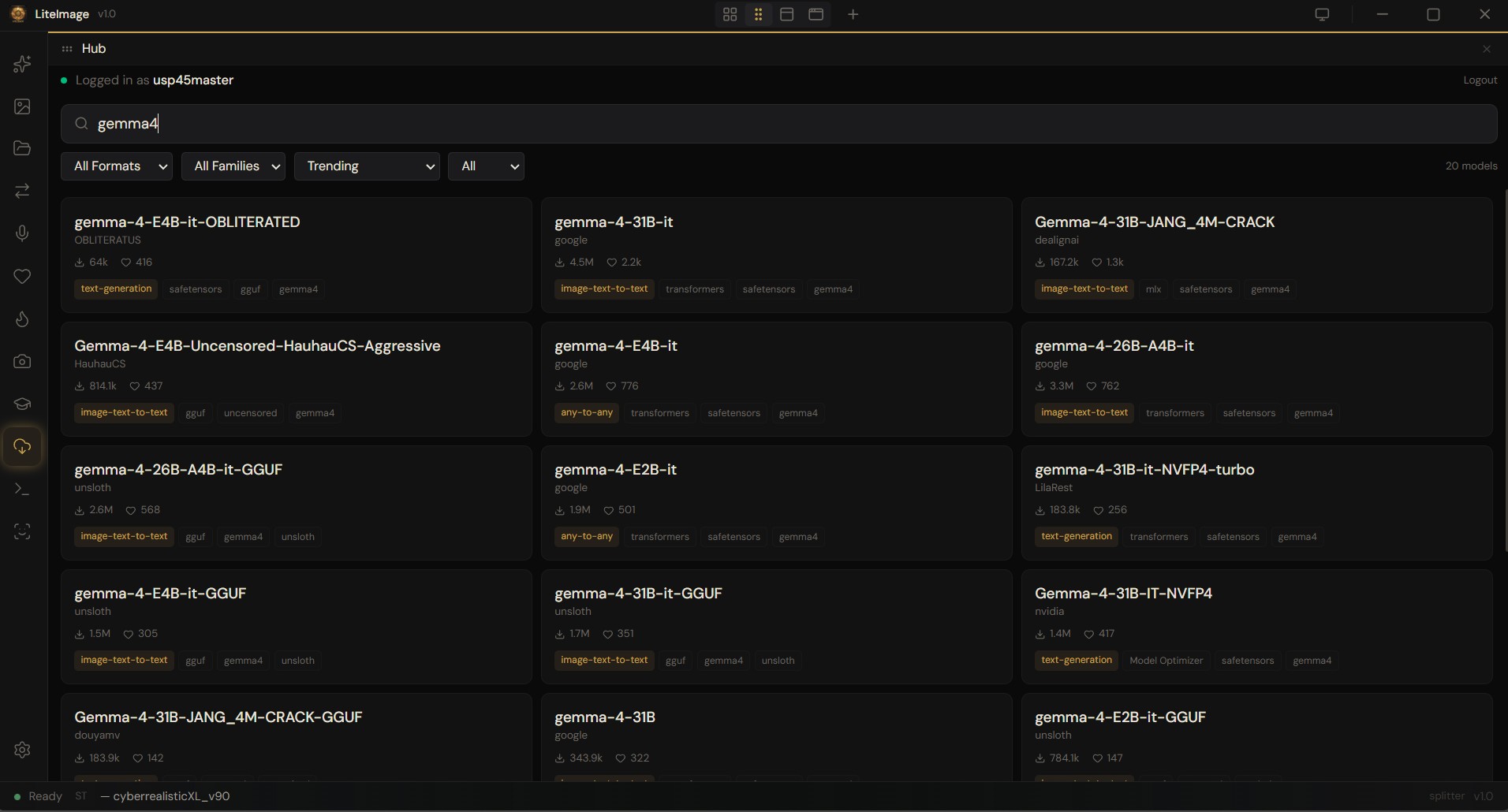
Local-First AI
Connect to Claude, GPT, Gemini, or run local models via LM Studio, Ollama, and llama.cpp. Browse and download models from HuggingFace Hub. Benchmark models with real tool execution. Your models, your hardware.
Extensible by Plugins
Every built-in panel is a first-party plugin, and the @litesuite/plugin-sdk lets anyone build their own. Scaffold with `litesuite create-plugin`, develop with live reload, then install from a folder, Git, or npm. Community plugins run as sandboxed WebView panels with permission-gated access — a real canvas pane that can never touch your filesystem or other panels without your consent.
Why Lite Suite
The only desktop AI environment that puts editor, terminal, AI agents, voice, benchmarks, memory, and design on a single spatial canvas — not separate apps, not browser tabs.
See it in action
Demo video coming soon